Android
Android 8 and laterApp and website blocking, usage budgets, thoughtful schedules, and a kind weekly reflection.
In development
A calmer relationship with your screen
The work you want to finish. The book by your bed. The people right in front of you.
Give distracting apps and websites a boundary. Give the rest of your life a little more space.
Android macOS In development
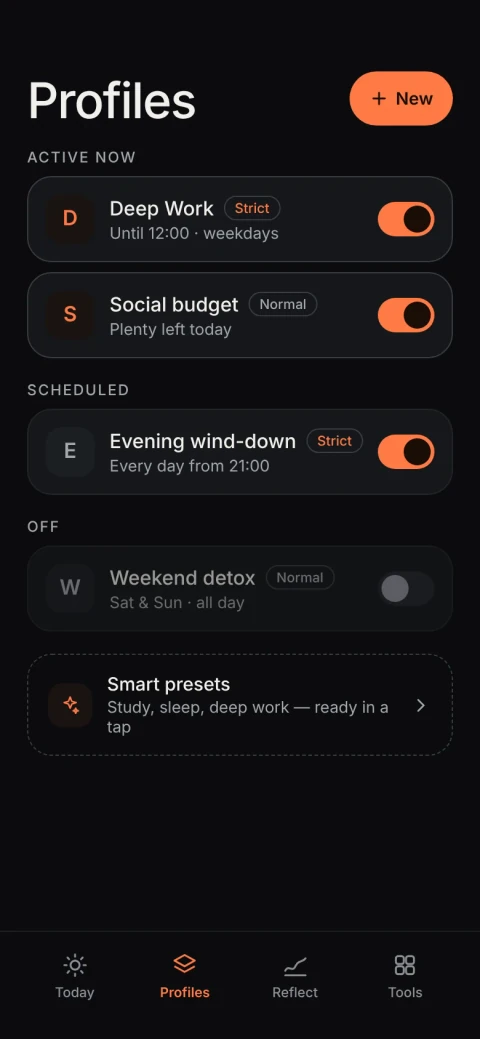
A rhythm of your own
Your day doesn’t need another set of rules to live up to. Just a few boundaries that feel like yours.
An evening routine, expanded.
Example profile · Settings stay on your device.
A little kinder by design
Some days call for a gentle nudge. Others need a firmer line. Choose the kind of support that works for you.
Find your own way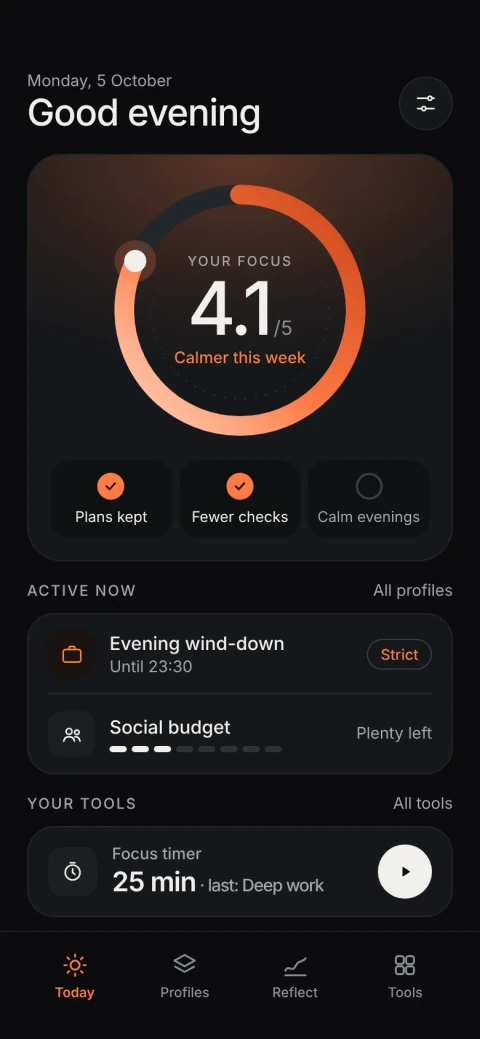
Android design previews · Illustrative data
One small decision now. One less decision when distraction calls.
Pick the apps and websites that pull you away. Keep the things you need within reach.
Set a recurring schedule, start a focus timer, or begin with a ready-made profile.
Blocking runs on your device, even with the app closed. Your attention can be somewhere else.
Your day doesn’t need another set of rules to live up to. Just a few boundaries that feel like yours.
A clear head. A little momentum.
These can wait
Your work gets a little more room.
An example of what you can set up in Focus Span. This website doesn’t block apps or save a profile.
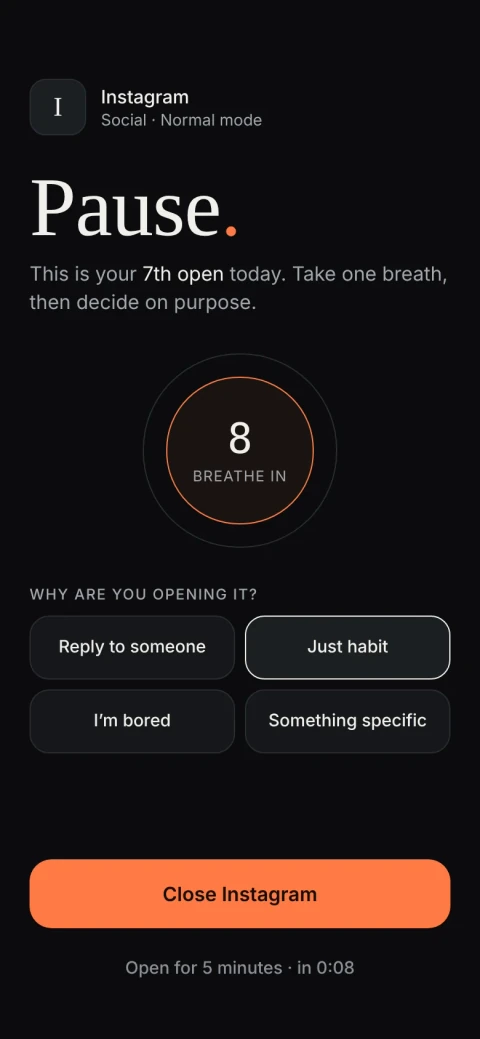 Mindful mode · Design preview
Some days call for a gentle nudge. Others need a firmer line. Choose the kind of support that works for you.
Mindful pauses apply to apps. Strict adds friction, not a guarantee against bypassing.
The things you open. The limits you set. The days you’re figuring it out. They all stay on your device.
Open the app. Make your plan. That’s all the introduction needed.
Your habits aren’t a data point. We don’t collect them.
Local settings. Local blocking. Even without an internet connection.
The Android app doesn’t request internet permission. The invitation-only web demo is a separate, online preview. The optional beta list stores the email and consent you submit on this website.
Built for Android and macOS. Each device keeps its own commitments.
App and website blocking, usage budgets, thoughtful schedules, and a kind weekly reflection.
In developmentApp and domain blocking, schedules, Strict mode, and a focus timer. No usage budgets or reports.
In developmentPublic downloads aren’t available yet. Invited testers can explore the interactive web demo with Google sign-in.
Leave your email for beta invitations. A chance to try Focus Span early and tell us what needs work.
Clear answers. Room to decide.
You choose apps, websites, and a schedule. Focus Span then enforces that plan on your device, even when its interface is closed. Android uses an Accessibility service; macOS closes selected apps and uses a local helper to block website domains.
Yes. The Android and macOS apps store their settings locally and run without an account or internet connection. The Android app doesn’t request internet permission. The private web demo is separate and needs a connection and Google sign-in.
A Normal profile can be paused. Strict profiles add a deliberate commitment: while one is active, you can extend its coverage but can’t pause it, remove rules, or shorten its schedule. Strict is friction you choose, and it can be bypassed; it isn’t a security boundary.
No. Each device keeps its own settings and history. There’s no cloud account, sync, or backup. This also means uninstalling the app or resetting your device can remove your saved plans.
On Android, website blocking supports Chrome, Firefox, Brave, Edge, Opera, Samsung Internet, and DuckDuckGo. Browser updates can affect compatibility. macOS blocks domain names through a local hosts helper; it doesn’t support keyword rules.
Focus Span isn’t publicly released yet, and there’s no confirmed launch date or pricing. Android and macOS are in development. iPhone support is being prepared separately and still requires Apple approval and verification on a physical device.
Your time, on your terms.